RetroBar
RetroBar is an application designed to convert the modern Windows taskbar into a classic-style taskbar. It delivers a nostalgic feel to your current Windows interface. RetroBar lets you relive the experience of the golden days of vintage Windows.
RetroBar is an open-source application that provides a user-friendly interface. It works smoothly in transforming and customizing the taskbar to the classic version, with minimal memory usage.
What is RetroBar?
RetroBar is an application developed by Dremin. This program mimics the classic look of older Windows taskbars. RetroBar provides classic aesthetics with modern functionality. It offers a nostalgic look to the interface, which can be customized according to the user’s preference.
When you use RetroBar, it only transforms your current Windows taskbar and interface into any Retro Version from Windows 95 to Windows Vista, keeping the rest unchanged.
You must be wondering about the themes of RetroBar. These are the themes RetroBar consists of:
Key features
RetroBar replaces the modern taskbar with a classic, retro-style one. It brings back the vintage look of taskbars from Windows 95 to Windows 7.
RetroBar is a lightweight and portable application. It utilizes minimal memory for downloading, has a low installation footprint, and requires low memory to run the whole program.
RetroBar provides a colour palette that suits the theme. This idea of a theme-based colour palette enhances the nostalgic feel of the classic interface and the overall experience.
When the taskbar is not in use, RetroBar auto-hides it, which gives your interface a clean look and maximum space.
Just by double-clicking on the space of the taskbar, you can change the position of the taskbar and also customize it easily with zero hassle. You can drag the taskbar to any edge of Windows and modify it as per your preference.
Quick Launch helps you access frequently used apps and shortcuts. This is placed next to the Start button. You can customize Quick Launch and add your favourite apps so you can launch them in just one click.
What’s New ?
Download RetroBar [Latest Version]
RetroBar | v1.21.32 | 6.74 MB
How to Download and Install RetroBar ?
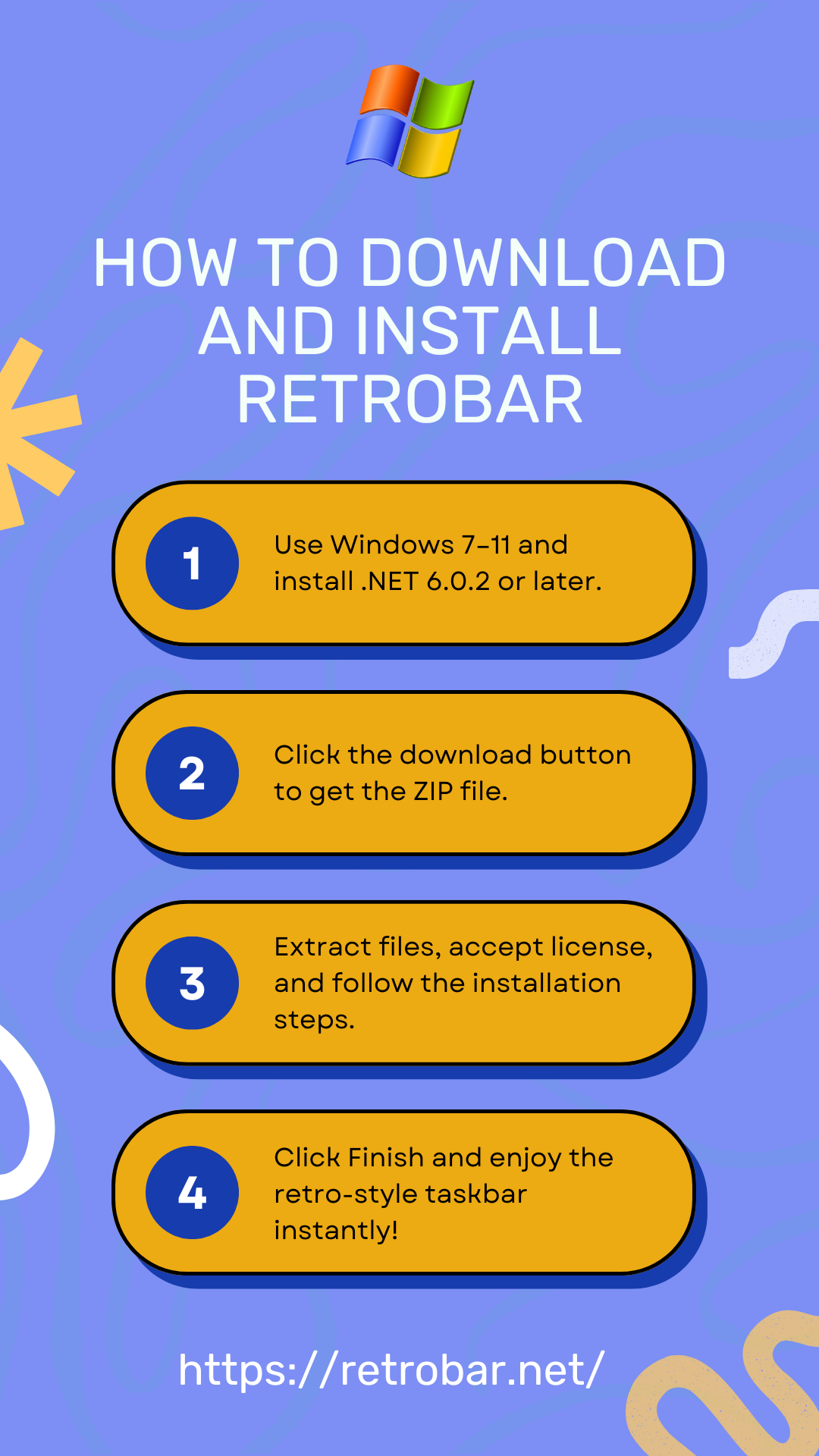
How to Use RetroBar?
RetroBar is very user-friendly, which is why using it is a breeze. Once it’s downloaded, you don’t have to go through tons of settings; it transforms into a retro version within a few seconds.
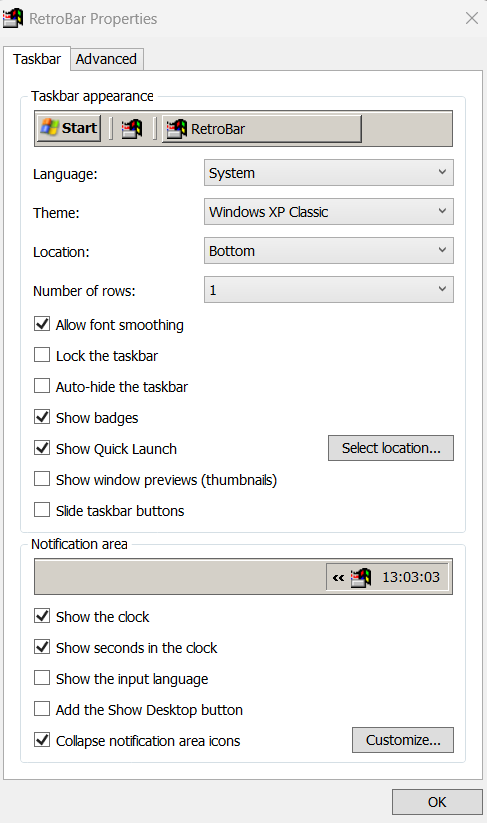
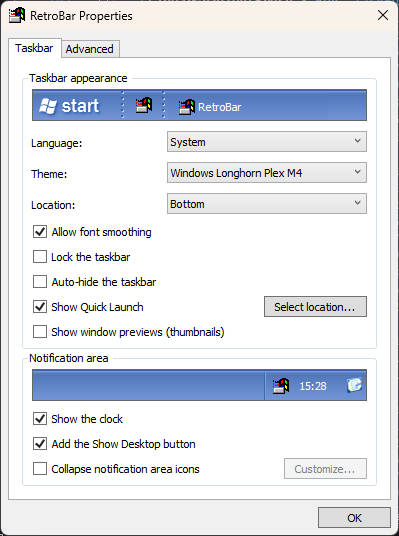
Customization of the taskbar is also effortless. You just have to right-click on the empty space of the toolbar, which will show a menu that includes an option called “Properties.” After clicking on that, it will lead you to the page where you can change the theme and customize the taskbar as per your preference.
In the same menu, it includes two options: the first one is to lock the taskbar, and the second option is to exit the taskbar. Exiting the taskbar won’t uninstall it. You can simply click on the RetroBar icon to relaunch the taskbar.
How to Uninstall RetroBar?
Why Choose RetroBar?
Comparison
Screenshots